






Mobytec
  • Home
  • Home v9: Videos and Parallax
  • Home v3: 3 Column with Blog
  • Home v4: Small Slider
  • Arquivos
    • Galeria
    • Mapa do Site
    • Sub Arquivos
  • Home v5: Portfolio Style
  • Transparent Header
  • Terms
  • Contato
  • Contato
    • FAQs
    • Helpdesk
    • Telefone
  • Sobre
  • Pages
    • Services
    • Landing Page
    • Contact
    • Pricing
    • About Us
    • Meet the Team
    • Help
    • Blank Pages
      • Coming Soon
      • Maintenance Mode
    • FAQ
  • Termos
  • Home v10: Magazine
  • Home v8: Frontpage Shop
  • airwork
  • ddd
  • Home v7: One Page Portfolio
  • Blog
    • Masonry Blog
    • Blog Grid
    • Blog Multi Author
    • Blog Single Author Small
    • Blog Single Author Big
    • Blog Single Author Fullwidth
  • Shortcodes
    • Buttons
    • Columns & Sections
    • Hr Elements
    • Iconbox
    • Iconlist
    • Animated Image
    • Notification
    • Progress Bars
    • Easy Slider
    • Layer Slider
    • Pricing and data Tables
    • Tabs
    • Toggles & Accordions
    • Team Element
    • Images with Hotspots
    • Testimonials
    • Video
    • Post Slider
    • Portfolio Shortcode
    • Contact Forms
    • Gallery
    • Promo Box
    • Blog Elements
  • Portfolio
    • Masonry Portfolio
    • Mixed Fullwidth Portfolio
    • Portfolio 2 Column
    • Portfolio 3 Column Ajax
    • Portfolio 3 Column
  • Fairchid
  • Home v6: Classic 4 Column
AnteriorPróximo
123
AnteriorPróximo
1234

Slideshow Elements

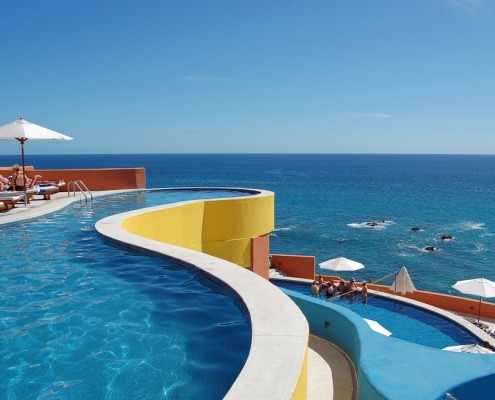
The Easy Slideshow element allows you to setup a simple slideshow within seconds, either at the top of your page, stretching across the whole viewport, or as a content element anywhere on the page.

You can choose between fade and slide transition, duration of slide interval and position.  You can add any number of slideshows you want to a page

Fade Slider

As you can see you can either set the slide animation to fade or to slide.
You can also manually choose the slideshow image size from a predefined array of sizes that work well with the theme

Again, any number of sliders possible

AnteriorPróximo
12
  • Animated Image
  • Blog Elements
  • Buttons
  • Columns & Sections
  • Contact Forms
  • Easy Slider
  • Gallery
  • Hr Elements
  • Iconbox
  • Iconlist
  • Images with Hotspots
  • Layer Slider
  • Notification
  • Portfolio Shortcode
  • Post Slider
  • Pricing and data Tables
  • Progress Bars
  • Promo Box
  • Tabs
  • Team Element
  • Testimonials
  • Toggles & Accordions
  • Video

Mobytec Eletrônica Ltda


Endereço: Rua Matos Costa, 160
CEP: 06710-670 - Cotia – SP

Tel: (011) 4612-4127
Fax: (011) 4702-6298


Email: mobytec@uol.com.br
 
AnteriorPróximo

airwork

pbswisstools

Mobytec Eletrônica Ltda.

Rua Matos Costa, 160 – CEP: 06710-670 Cotia – SP Telefone: (011) 4612-4127 Fax: (011) 4702-6298 – E-mail: mobytec@uol.com.br

© 2015 MOBYTEC | Desenvolvido por FEFANIMARE

Scroll to top